To withdraw from the Composition Levy on the GST Portal, perform the following steps:
Note:
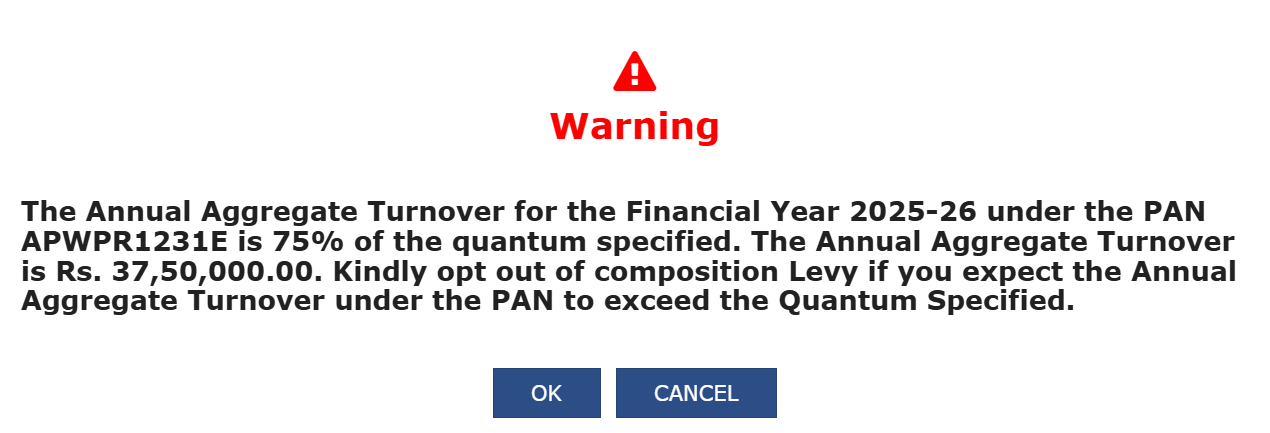
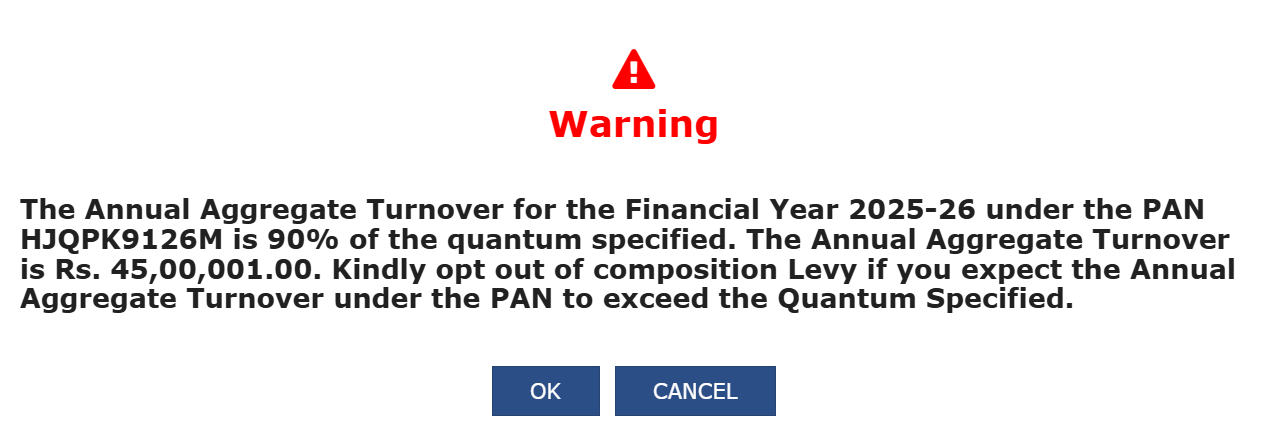
a. Post login, the system checks whether the Annual Aggregate Turnover (AATO) for the specified PAN exceeds the defined limit for both the immediate preceding year and the current year. The turnovers for both years are evaluated, and the higher of the two is considered for validation against the threshold limit. If the Turnover exceeds the specified limit, system shows the following pop-ups prompting the Taxpayer to opt out of Composition Levy.
Case 1: If the 75% of the threshold limit is consumed:
Case 2: If the 90% of the threshold limit is consumed:
Case 3: If the ATTO has already exceeded the threshold limit:

b. Click the OK button and you will be navigated to the Intimation/Application for Withdrawal from Composition Levy page where you can fill the details to opt out of Composition Levy. Click the CANCEL button to access other functionalities even if turnover has exceeded the composition limit.
Alternatively, you can navigate to Intimation/Application for Withdrawal from Composition Levy page by performing following steps:
1. Access the www.gst.gov.in URL. The GST Home page is displayed.
2. Login to the GST Portal with valid credentials.
3. Click the Services > Registration > Application for Withdrawal from Composition Levy link.
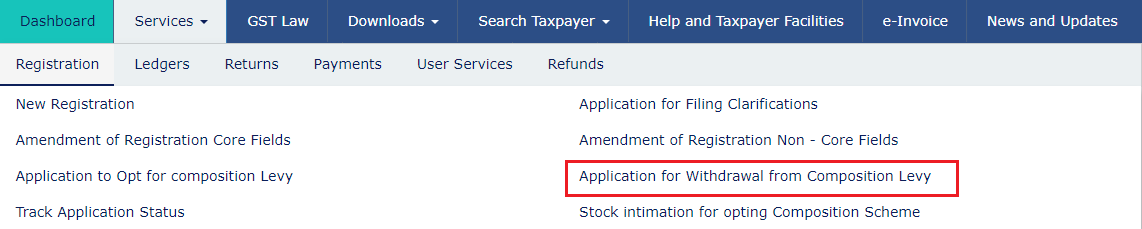
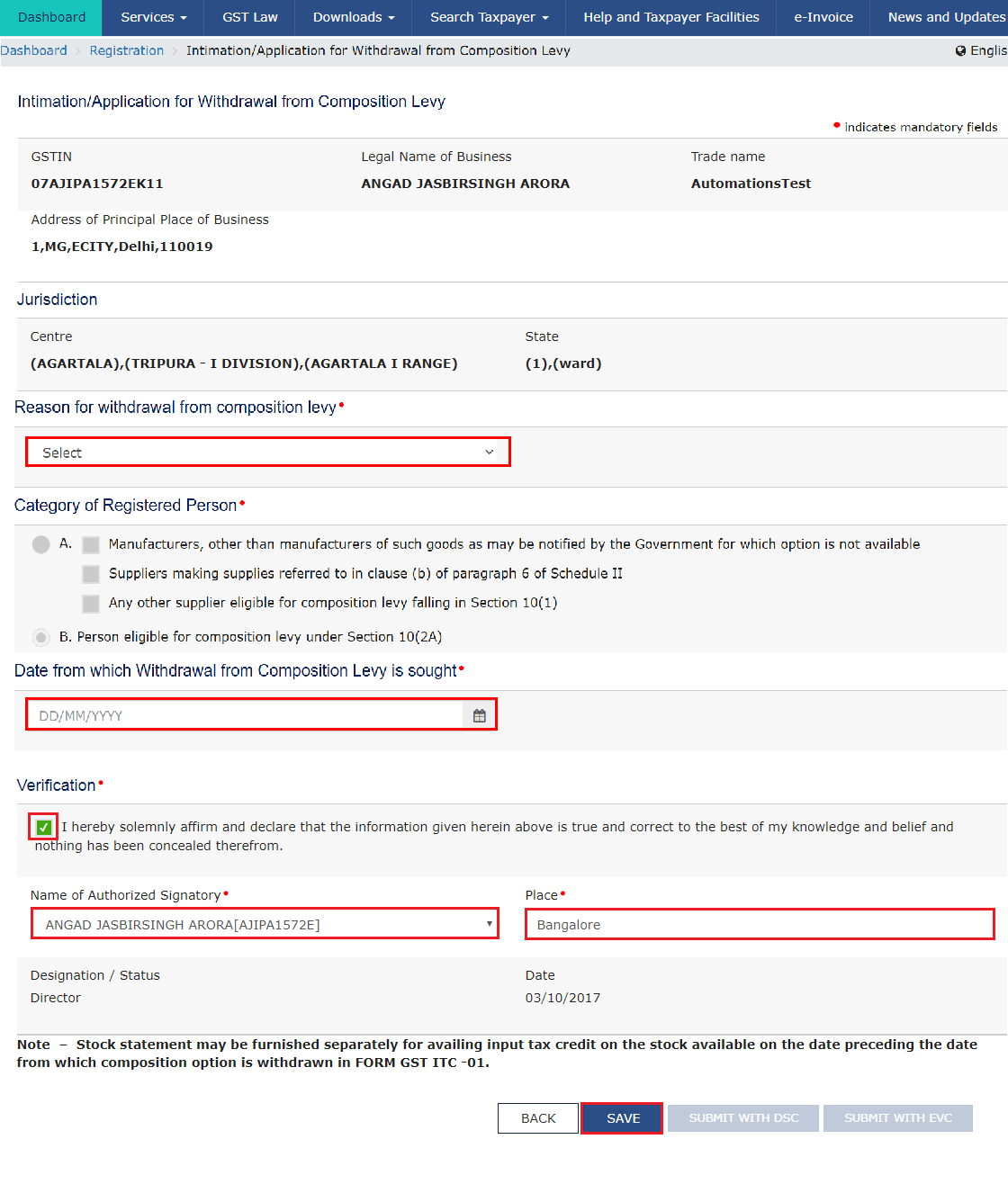
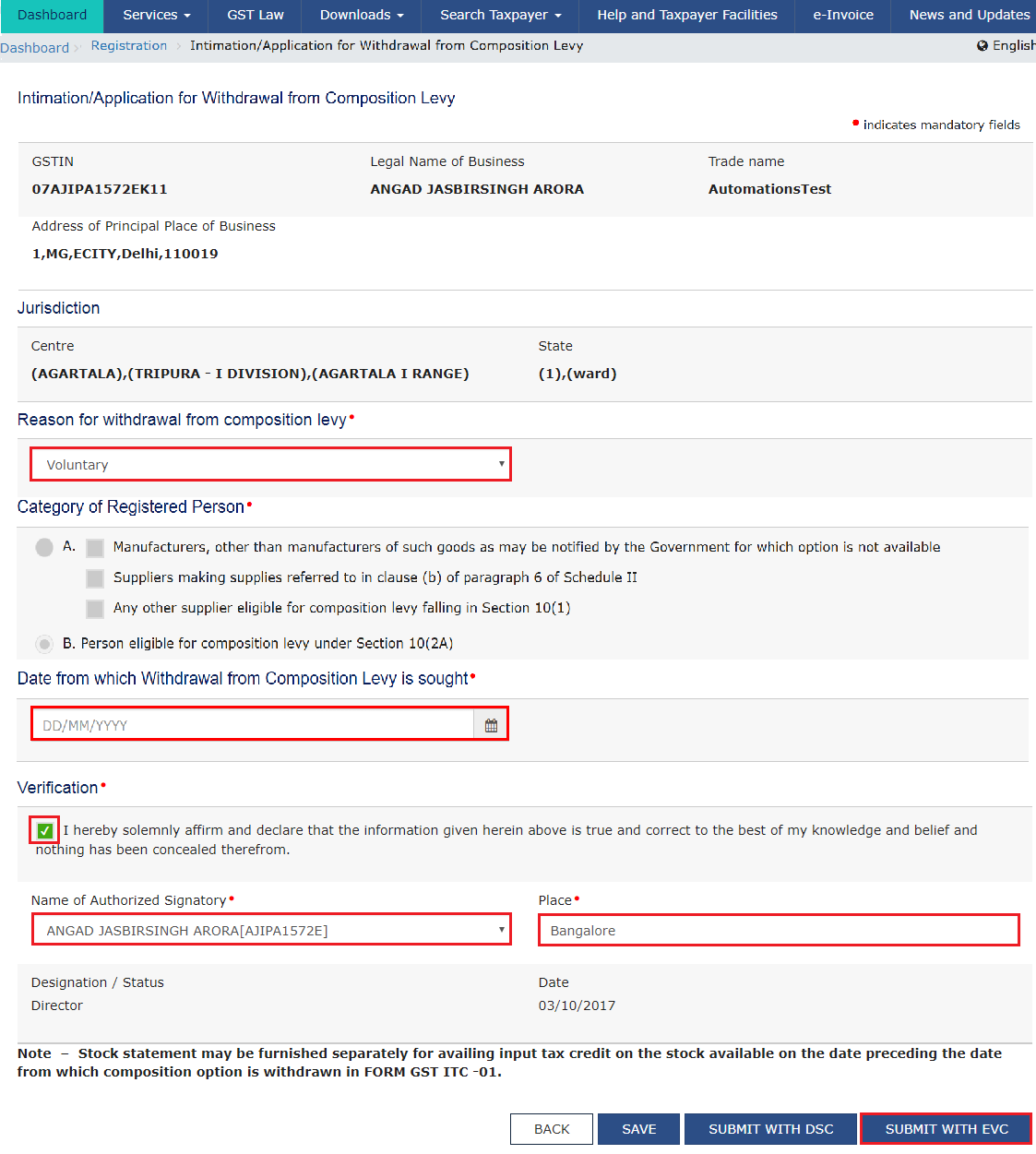
The Intimation/Application for Withdrawal from Composition Levy page is displayed.
4. Select the Date from which withdrawal from Composition Levy is sought using the calendar. Date for withdrawal from Composition Levy cannot be before the date on which Composition Levy has been opted.
5. Select the Reason for withdrawal from Composition Levy from the drop-down list.

6. Select the Verification checkbox.
7. In the Name of Authorized Signatory drop-down list, select the name of authorized signatory.
8. In the Place field, enter the place where the form is filed.
9. Click the SAVE button to save the data.
After filling the application, you need to digitally sign the application using Digital Signature Certificate (DSC) or EVC.
In Case of DSC:
a. Click the SUBMIT WITH DSC button.

b. Click the YES button.

c. Select the certificate and click the SIGN button.

In Case of EVC:
a. Click the SUBMIT WITH EVC button.
b. Enter the OTP sent to email and mobile number of the Authorized Signatory registered at the GST Portal and click the VALIDATE OTP button.

The success message is displayed. You will receive the acknowledgement in next 15 minutes on your registered e-mail address and mobile phone number. Application Reference Number (ARN) receipt is sent on your e-mail address and mobile phone number.
Once the application to withdraw from the Composition Levy is filed, application is auto approved and you are taken out of the Composition Levy.

Note: Once you are withdrawn from Composition Levy, you can go to My Profile and check that your Taxpayer Type is changed to Regular from Composition and you will have access to all the returns applicable to Regular taxpayer.
